

Android Studio online:
what really runs in a browser.

Founder, Newly
Google did put Android Studio in a browser tab. It is being switched off on 22 March 2027, and the door you used to get into it closed last June. That is the whole news story, and almost nobody writing about android studio online has updated for it. Below: what Google actually asks of a local install, in Google’s numbers, and the four routes that still work.
Key Takeaways
- Android Studio does not run in a browser. The results implying it does are wrong; what people want is to build without a 10 GB install.
- Google’s own browser version is being retired. Android Studio Cloud ends 22 March 2027 and Firebase Studio stopped new signups in June 2026.
- The local install wants 8 GB of RAM and 8 GB of disk. Sixteen of each with the emulator, Google’s own minimums, not an estimate.
- Newly writes React Native, not Kotlin. If you need Jetpack Compose, or your budget is zero, Expo Snack and Google AI Studio are free.
The straight answer
Two things are true at the same time, and most pages ranking for this search only tell you the flattering one.
First: there is no web build of Android Studio and there never was. What Google shipped in 2025 was Android Studio Cloud, and its own documentation is unusually candid about what that means, “you’ll be interacting with a remotely streamed Linux virtual machine (VM) running Android Studio on the web,” with “a user experience similar to running the Linux version of Android Studio.” A remote desktop, in other words. Not a port.
Second: the thing you probably actually want, building an Android app in the browser , has more genuine options in 2026 than it had when Android Studio Cloud launched. Several of them are Google’s. One of them is ours. The rest of this page is about telling them apart honestly, including the cases where ours is the wrong answer.
Nobody wants an IDE in Safari. They want their laptop back.
The search is a symptom. People type online android studio because of the machine in front of them, not because IDEs are nicer in a tab. So here is the actual demand, side by side with the demand of the browser you are reading this in. Both columns are Google’s published numbers.
- Operating system floor
- Android Studio64-bit Windows 8, 10 or 11 · macOS 10.14 Mojave or newer · any 64-bit Linux with glibc 2.31 or later
- ChromeWindows 10 or later · macOS 13 Ventura or later · 64-bit Ubuntu 18.04+, Debian 10+, openSUSE 15.5+, Fedora 39+
- Operating system floor, emulator
- Android Studio64-bit Windows 10 or higher · macOS 12 or higher · Linux · ChromeOS
- ChromeNot applicable
- Screen resolution
- Android Studio1280 × 800 minimum
- ChromeNot published
- Processor
- Android StudioNot published as a single figure
- ChromeIntel Pentium 4 with SSE3 or later, or an ARM processor
The gap that matters is not the installer. It is the emulator. Google’s emulator documentation says the emulator “might still run but not smoothly” below 16 GB, and suggests testing on a physical device instead. That single sentence is the reason this query exists. A student on an 8 GB laptop clears the minimum to install Android Studio and then discovers the part that shows them their app is the part their machine cannot do.
If your machine does clear the bar, install it. Really. A local install is faster, works offline, and has no end-of-support date attached, and the full Android Studio walk-through covers getting an APK out of it. This page is for the case where that is not on the table.
Google built it. Google is turning it off.
This is the counter-example anyone who knows the space will raise, so it is worth getting exactly right rather than waving away.
- 1April 2025
Project IDX is renamed Firebase Studio. Android Studio Cloud arrives as an experimental preview inside it.
- 222 June 2026
New Firebase Studio workspace creation and user signup are disabled. That was the only front door to Android Studio Cloud.
- 322 March 2027
Both switch off. Google's advice on the Android Studio Cloud page is to migrate to a local installation of Android Studio.
Android Studio Cloud
A dedicated workspace with the Android SDK components and the IDE pre-downloaded, streamed to your browser. It was a good idea. The banner at the top of its own documentation page now reads:
“Support for Android Studio Cloud Preview is ending March 22, 2027. To continue prototyping and building your projects, migrate to a local installation of Android Studio today.”
The door closed first
Android Studio Cloud was reached by creating a workspace inside Firebase Studio, the product formerly called Project IDX. Firebase Studio’s documentation carries its own banner:
“Firebase Studio is sunsetting on March 22, 2027. As of June 22, 2026, new workspace creation and user signup are disabled.”
Read those two banners together and the practical answer for anyone arriving today is that the first-party browser Android Studio is not accepting you. We checked the documentation rather than the signup flow, so if you already had a workspace before June you may still be inside it, Google points existing workspaces at Google AI Studio or Google Antigravity.
Pick your actual problem
Four sentences. One of them is yours.
“Android studio in browser” and “android studio online free” are one search covering four unrelated jobs, which is why generic answers to it are so bad. Say which one you are, and the recommendation changes completely.
Then use
Install it, or start in Google AI Studio and move the project out
None of the browser routes will teach you Android Studio, because none of them are Android Studio. Google AI Studio Build mode is the closest: pick Android in the platform picker, describe the app, and the agent generates a standard Gradle project with Jetpack Compose and Material 3, which you can export as a ZIP or push to GitHub and open in a real IDE later. That is a decent on-ramp. A React Native builder like Newly is the wrong tool for this particular goal, it does not write Kotlin, and prompting it harder will not change that.
The catch. AI Studio's Android projects are documented as single-activity and single-module, Compose only. No Java, no XML layouts, no NDK.
Five routes, and the snag on each one.
The last column is the one to read first. Every one of these has something wrong with it, ours included, and a comparison that pretends otherwise is not worth your time.
| Route | What it is | What you get | Cost | The snag |
|---|---|---|---|---|
| Android Studio Cloud | The Linux build of Android Studio on a remote VM, streamed to a tab | Whatever Android Studio produces | Preview, via a Firebase Studio workspace | Support ends 22 March 2027, and new workspaces stopped 22 June 2026 |
| Google AI Studio, Build mode | Prompt-to-app agent generating Kotlin and Jetpack Compose | A Gradle project, plus an APK you can install over WebUSB | Free tier at ai.google.dev | Single-activity, single-module, Compose only. Play publishing is internal-testing only |
| Expo Snack | An in-browser React Native editor with a live preview | A shareable snippet and an Expo Go preview on your phone | Free | No store build at the end. It is a sandbox |
| EAS Build | Expo's hosted build service, Android on Linux runners in Google Cloud | Installable Android and iOS binaries | Free plan: 15 Android + 15 iOS builds; Starter $19/mo | You bring the project. It builds code, it does not write it |
| Newly | Prompt-to-app builder generating React Native and Expo | A signed APK for testing, an AAB for Play, plus the iOS build | From $25/mo, no free tier | React Native, not Kotlin. And no way to try it for nothing |
Two of those five are Expo underneath, and Expo has a vocabulary of its own, Expo Go, development builds, EAS. We are not going to re-teach it in the margins of an Android Studio article; the Expo route starts from zero and goes properly. If all you need is the file at the end, building an APK without the SDK is the shorter path.
Sources for that table, read September 2026: the AI Studio capabilities and limitations from Build Android apps in Google AI Studio; the Android Studio Cloud dates from Google’s own preview page; the build runners from Expo’s EAS Build documentation and the plan limits from Expo’s pricing page.
Walk-through
A Play-ready build, tab only.
Four steps, and the fourth one is not automated by anyone. This is the React Native route rather than the Kotlin one, which is a real fork in the road and not a detail, read the section after this before you commit to it.
- 1
Describe the app in the prompt box
Newly opens on a prompt box. You describe the app the way you would brief a contractor, what it does, who uses it, what the main screen shows, and the agent generates a React Native and Expo project from that description. One message costs one credit, whatever the message asks for, which is worth knowing before you send eleven small ones instead of two considered ones.
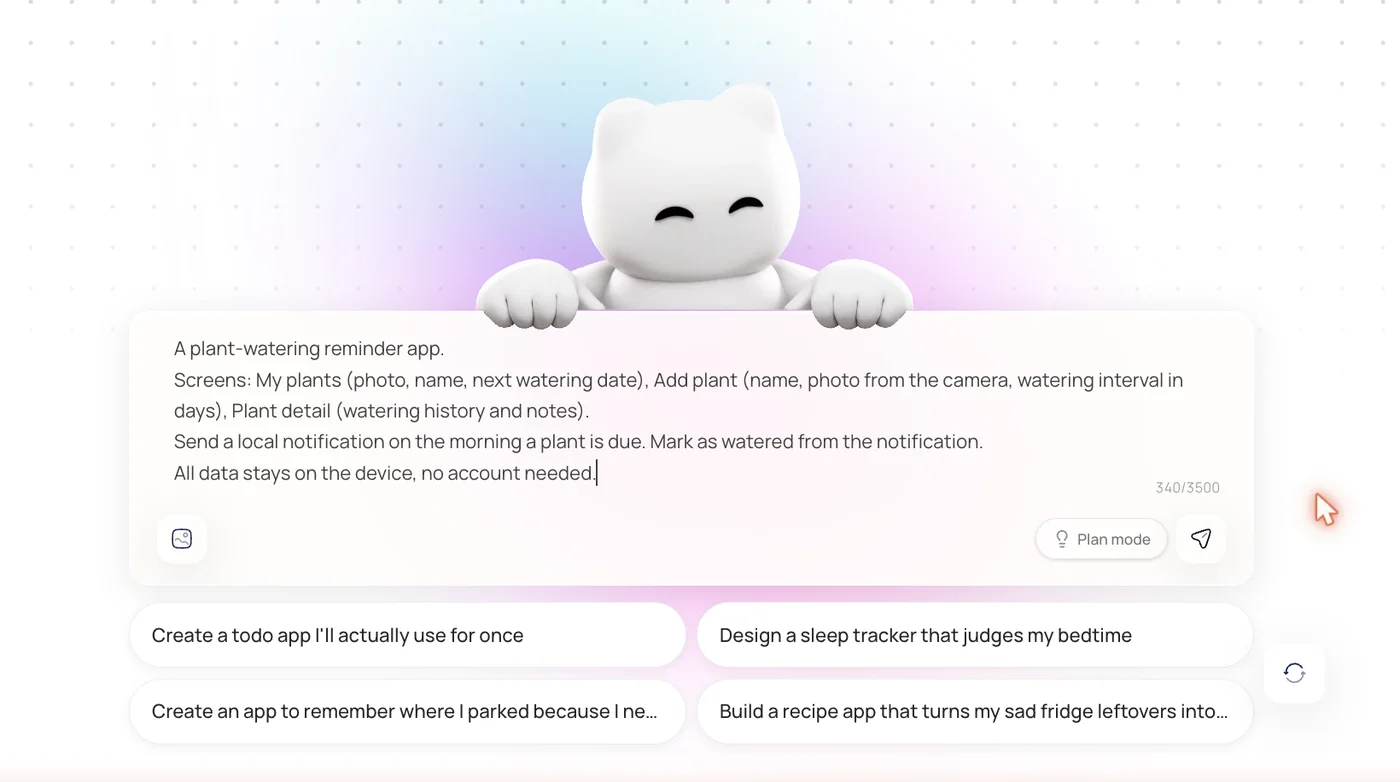
Everything from here happens in the tab. Nothing on the left-hand side of the spec plate above gets installed. - 2
Watch it build, then look at the preview
The build runs in the browser and the preview updates with it. This is the part that replaces the emulator on your own machine, and it is also the part that decides whether the browser route was a good idea for your project, if the app leans on hardware you cannot fake, you will find out here rather than three weeks in.
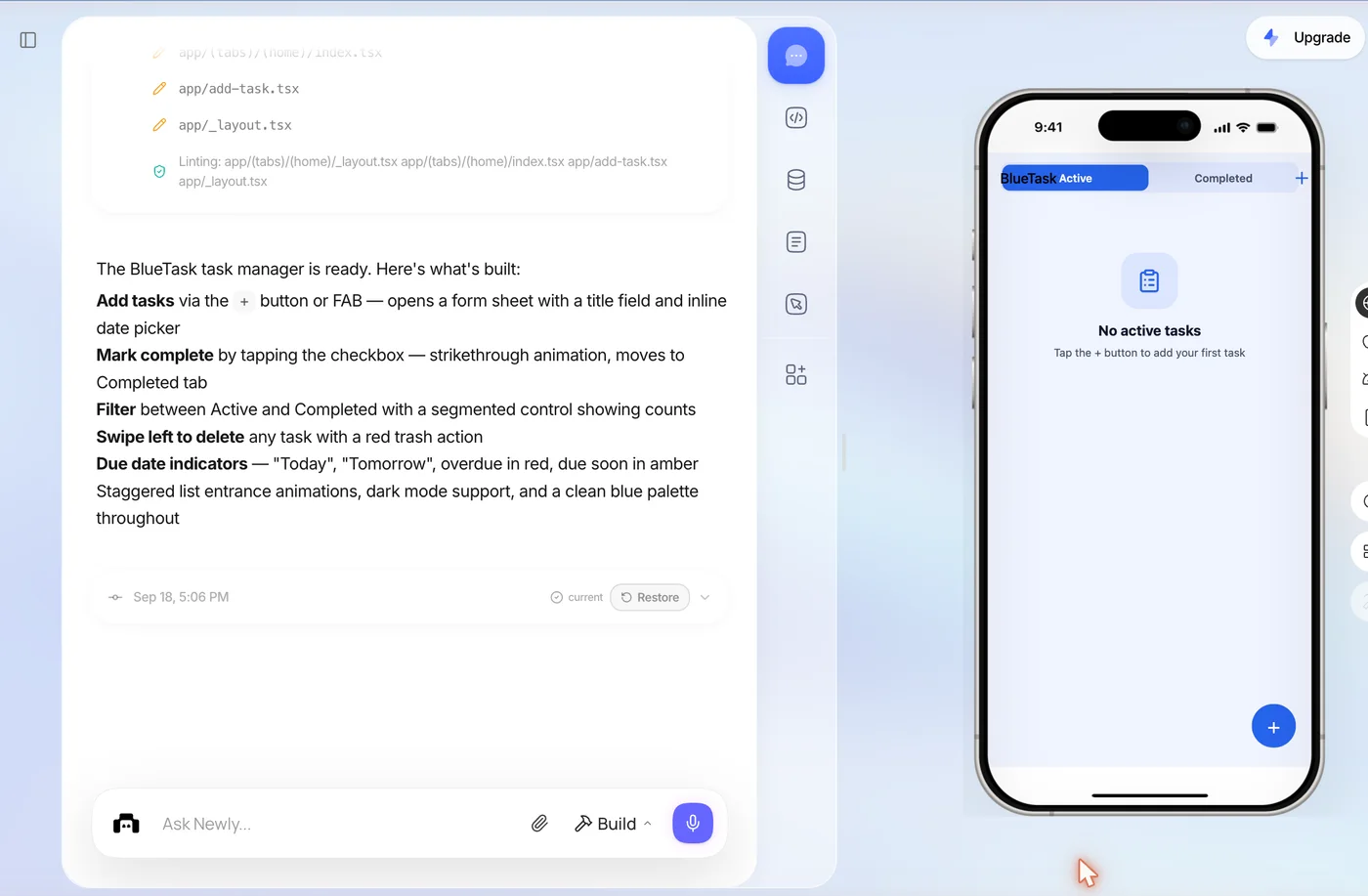
The preview is the feedback loop. It is why nobody needs 16 GB of local RAM. - 3
Build the Android artefacts from the Deploy flow
Android needs two different files and they are not interchangeable. An APK is what you sideload onto a phone or hand to a tester. An AAB is what Google Play requires for a release. The Deploy flow produces both, the signed APK for testing, and the AAB for the Play submission, and the signing key it generates is yours to keep, which matters more than it sounds like it does. Lose an Android signing key and you cannot update your own app.
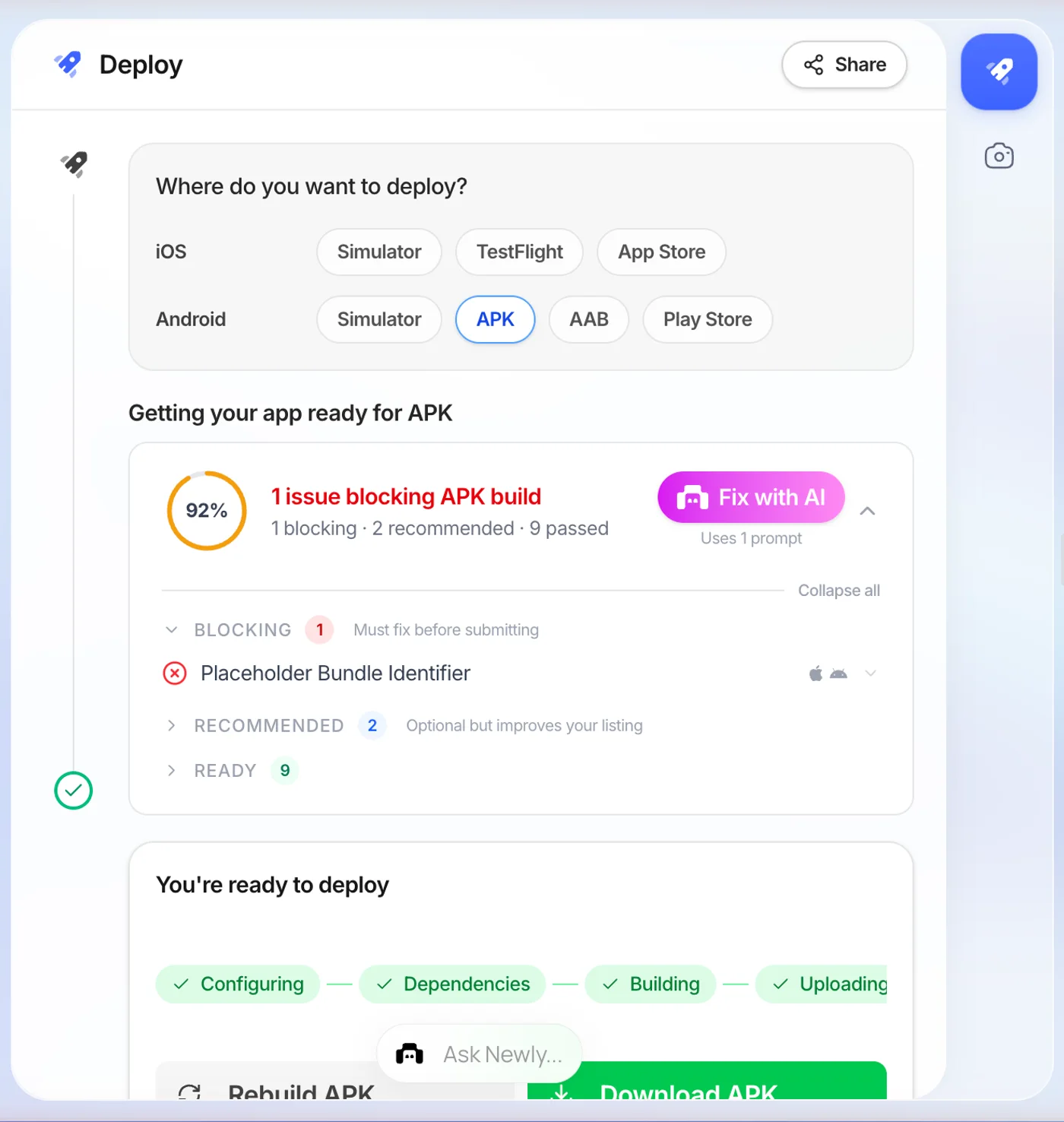
Two files, two jobs. Testers get the APK; Google Play gets the AAB. - 4
Upload it to the Play Console yourself
This step is not automated by anybody, and any tool that implies otherwise is overselling. You need a Google Play Developer account, which is a one-off $25, and you upload the AAB into a release track in the Play Console. The store listing, the screenshots and the data-safety form are yours. Budget an evening for the first one.
What you still need, whichever route you took
- A Google Play Developer account, a one-time $25 registration, regardless of which route you took
- An AAB, not an APK, for anything going to a Play release track
- The Android signing key, downloaded and stored somewhere you will still have it in two years
- A real device or a streamed emulator to test on before you upload, a browser preview is not a test
- Screenshots and a data-safety declaration, which no builder fills in for you
Where we are the wrong answer.
Newly does not write Kotlin. It generates React Native and Expo, and no amount of prompting turns that into a Jetpack Compose project. If your reason for searching for an online Android Studio is that you want to learn Android development, the real thing, Gradle and Compose and activities, Newly will not get you there, and you should use Google AI Studio’s Android mode or install the IDE.
There is also no free tier. It starts at $25 a month and there is no way to open it and try a prompt for nothing. Expo Snack costs nothing. Google AI Studio costs nothing. If your budget for this is zero today, use one of those instead, that is not false modesty, it is the correct recommendation for that reader.
What it is for is the case in the middle: you want a real cross-platform app on both stores, you do not want to learn a native toolchain to get there, and you would rather the build pipeline was somebody else’s problem. On an 8 GB laptop, that middle case is most people.
FAQ
Android Studio online, answered.
Not as a web app. Android Studio is a desktop IDE and Google has never shipped a browser build of it. What Google did ship is Android Studio Cloud: a Linux virtual machine in Google's cloud running the ordinary Linux build of Android Studio, streamed to a browser tab. Google's own page for it says support is ending March 22, 2027, and tells you to migrate to a local installation of Android Studio today. So for a project you are starting now, plan around the answer being no rather than around a workaround.
Nothing to install. Still a real app.
Describe the app, get React Native code you own, and take a signed APK and a Play-ready AAB out the other end, from a tab, on the laptop you already have. From $25 a month.
Build an Android app in your browser