

HTML to APK: the fast way, and the way that survives review.

Founder, Newly
Going from HTML to APK is two completely different jobs wearing the same name. One wraps the pages you already have inside a native shell and hands you an installable file before your coffee cools. The other rebuilds the same idea as an app. Most guides on turning a website into an app pick one and pretend the other does not exist.
This one is about the fork. What each route actually produces, what it feels like in the hand, and the specific policy line each store measures it against.
Key Takeaways
- A WebView wrapper takes minutes. It also ships an app that feels like a website in a frame, and the seams show in the back button, offline and scrolling.
- Both stores reject thin wrappers. Apple’s Guideline 4.2 and Google Play’s spam policy name them explicitly.
- A real native build passes review. It takes longer because the UI is rebuilt natively rather than loaded from a URL.
- Newly will not take your HTML. It rebuilds from a description; for an internal Android-only tool that four people sideload, Capacitor is free and the better answer.
Two stacks, cut open.
Every complaint people have about wrapper apps traces to a specific layer, and once you can see the layers the arguments get short. Pick a behaviour below and the diagram marks the layer responsible on both sides.
Pick something the user feels
Apple’s guideline 4.2 asks for “features, content, and UI that elevate it beyond a repackaged website”, and 4.2.2 says apps should not primarily be web clippings or a collection of links. Google’s Spam policy carries a clause named Webviews and Affiliate Spam. Both are aimed squarely at this stack, and neither is a formality, this is the fork, and it is the reason the fast route is not always the cheap one.
App Store Review Guidelines 4.2, Minimum FunctionalityReview reads the app. The wrapper question never comes up, because there is no wrapper.
Route one
Wrapping it, exactly.
There is a whole category of hosted html to apk converter sites that will do this from a URL and a subscription. They are fine. But the free version takes about the same time, produces a file you actually own, and, because it bundles your pages instead of fetching them, behaves better with no signal. Below is the whole thing with Capacitor, which is the maintained descendant of the Cordova approach.
What has to be true before you start
- Your site builds to a folder of static files, index.html and its assets. If it needs a server to render each page, you are pointing the app at a URL and the offline story changes.
- Node and npm are installed, because the whole flow is npm scripts.
- Android Studio is installed, because the APK comes out of the Gradle project Capacitor generates. This is the step that actually takes an afternoon the first time.
- You have somewhere to install the result, a phone with installs from unknown sources allowed, or an emulator. The first thing you will want to do with the file is run it.
The commands
Run these in the root of the project that produces your HTML. They are the sequence in Capacitor’s own getting-started documentation, in order.
npm i @capacitor/core
npm i -D @capacitor/cli
npx cap init
npm i @capacitor/android
npx cap add android
npx cap sync
npx cap open android
Two things worth knowing before you type them. Capacitor supports API 24 and up, which its documentation puts at roughly 99% of the Android market, so the old-devices worry is not a real one. And cap sync copies your files into the native project rather than linking them, which means every time you change the site you run it again. People forget this and then wonder why the app is showing last week’s homepage.
Getting the actual .apk file
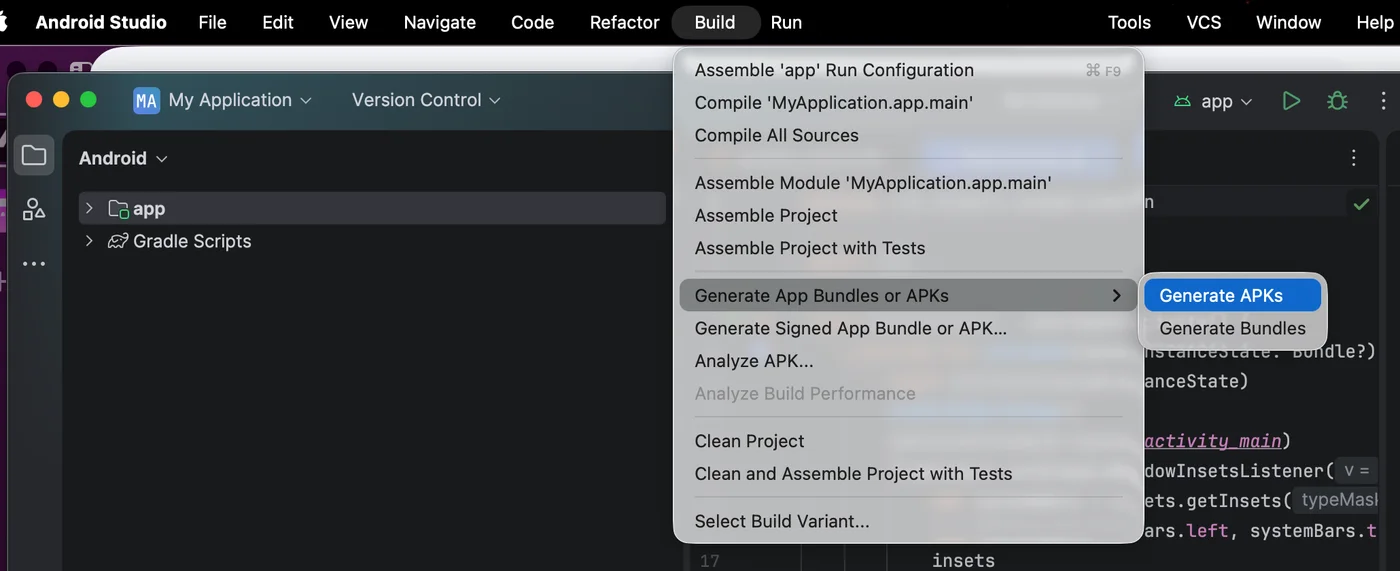
From the generated project, one Gradle command produces something you can install. Android’s build documentation gives both the command and where the file lands:
./gradlew assembleDebug
# → project_name/module_name/build/outputs/apk/module_name-debug.apk
That file is a zip archive with a particular layout and a signature block, and if you want to know what ends up inside the APK, that is a separate rabbit hole and a good one. If you came here from a different starting point, a live URL, a Progressive Web App, an existing Android project, the other APK conversion routes cover the ones that are not HTML, and starting from a zip of source files instead is the version where somebody hands you an archive and no instructions.
The first bad moment
Turn the wifi off and look at it.
Do this before you show anyone. A wrapper pointed at a live URL has nothing cached on a cold launch, so what the user gets is a browser error page wearing your app icon. Almost every guide that explains how to convert a website to apk stops one step before this one, and it takes ten seconds to check.
What the user sees
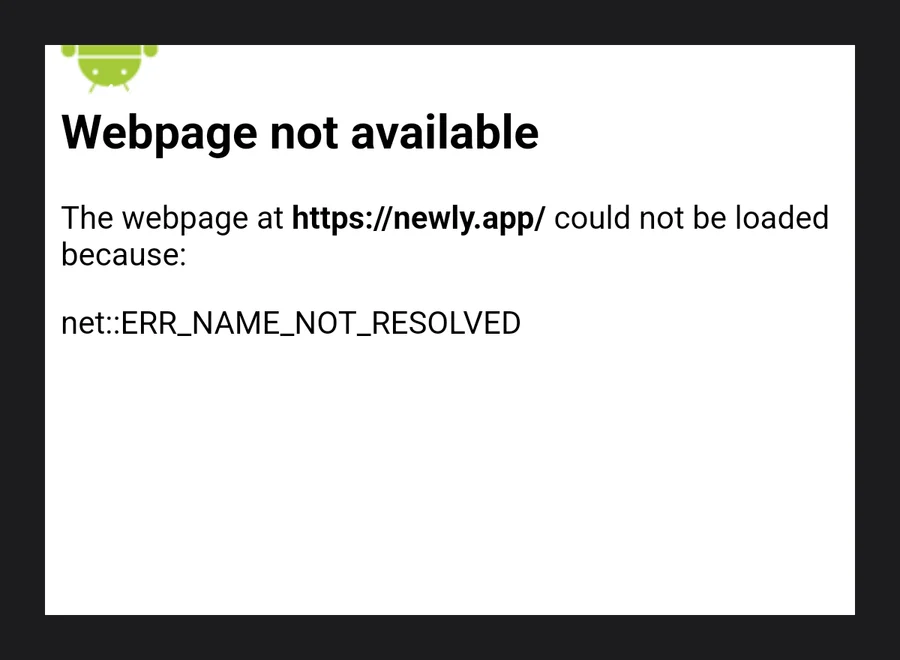
Bundling the pages instead of fetching them removes this entirely. Android’s guidance on in-app web content states it plainly: content compiled into the app does not require internet access and does not consume a user’s bandwidth. Capacitor does this by default. Hosted converters that take a URL generally do not, because they have no build step of yours to copy from. That single difference is most of the quality gap between the free route and the paid one.
The two lines each store measures you against.
People talk about this as vibes. It is not vibes. Both policies are published, both are short, and both name the thing you are about to build.
Apple: guideline 4.2, Minimum Functionality
The one that ends wrapper projects
“Your app should include features, content, and UI that elevate it beyond a repackaged website. If your app is not particularly useful, unique, or ‘app-like,’ it doesn’t belong on the App Store.”
4.2.2 sharpens it: other than catalogs, apps should not primarily be marketing materials, advertisements, web clippings, content aggregators or a collection of links. And if you were planning to use a converter service that submits on your behalf, read 4.2.6, apps created from a commercialized template or app generation service are rejected unless submitted directly by the provider of the app’s content. That clause is why the good wrapper services make you submit under your own developer account.
App Store Review Guidelines, section 4.2Google Play: Webviews and Affiliate Spam
Narrower than people assume
“We don’t allow apps whose primary purpose is to drive affiliate traffic to a website or provide a webview of a website without permission from the website owner or administrator.”
Read that carefully, because it is more permissive than the Apple clause and people conflate the two. If the site is yours, the permission half is met. What Google is actually policing is bulk wrapping of other people’s sites, its own developer guidance calls those submissions webview spam and says they are removed from Play. A wrapper of your own site, doing something, is not automatically in scope.
Google Play Spam policyOne more thing about the file itself
An APK is not what you upload to Google Play any more. Since August 2021 new apps have to be published as Android App Bundles. So the .apk your converter hands you is for testing, for sideloading and for sending to a colleague, and the Play listing needs an .aab built from the same project. That is not a wrapper problem, it applies to every route in the table below, but it surprises people who assumed the APK was the finish line. Before either store lets you list anything, there are two fixed costs neither tool can waive:
Five routes, side by side.
Every html to apk builder you will find is one of the first four rows with a subscription attached. The fifth is not a wrapper at all, and it is in the table so the comparison is honest rather than flattering.
| Route | First install file in | Works offline | Google Play | App Store |
|---|---|---|---|---|
| Hosted converter (paste a URL) | Minutes | No Points at your live site | Depends Fine if the site is yours, still judged on purpose | No This is the shape 4.2 was written about |
| Capacitor, your files, your machine | An afternoon, the first time | Yes Web assets are copied into the app | Yes Build an AAB from the generated Gradle project | Depends Passes when you add real native behaviour |
| Cordova, or a WebView Activity you write | An afternoon, plus the plumbing | Yes If you bundle rather than fetch | Yes Same Gradle output, more manual | Depends Same test, and you own every edge case |
| PWA in a Trusted Web Activity | An hour, if the site already passes | Depends Whatever your service worker cached | Yes Google's own supported route | No No iOS equivalent, Android only |
| Rebuild it natively with an AI app builder | Hours, not minutes | Yes Screens and data live on the device | Yes Signed AAB, you upload it | Yes Reviewed as an app, not as a wrapper |
Store columns describe policy exposure, not a guarantee. Review is done by people, and a wrapper with genuine native behaviour clears 4.2 regularly. The column says how much of the argument you have to make.
Pick one
Which one is yours.
Nobody is wrong for wrapping. Plenty of perfectly good software is a WebView, and if your app is a schedule for a three-day conference, spending a month rebuilding it natively would be the mistake. Read both lists and take whichever one you nodded at more.
Wrap it if
- It is an internal tool and nobody outside the company installs it
- Android only, sideloaded, no store listing involved
- The content changes weekly and you refuse to ship a release for a copy edit
- You have a working site and four days, not four weeks
Rebuild it if
- It has to be on the App Store, where guideline 4.2 is waiting
- People will open it more than once a week
- It needs the camera, push, background location or biometric login
- It has to do anything at all with no signal
- You would be annoyed by a review that says “this is just the website”
Route two
Rebuilding it, and what that costs you.
The reason people reach for a website to apk builder in the first place is that the alternative used to mean hiring somebody. It does not any more, an AI app builder takes a description and writes the native app, but the honest framing is that you are starting a new app, not converting an old one.
What the process looks like
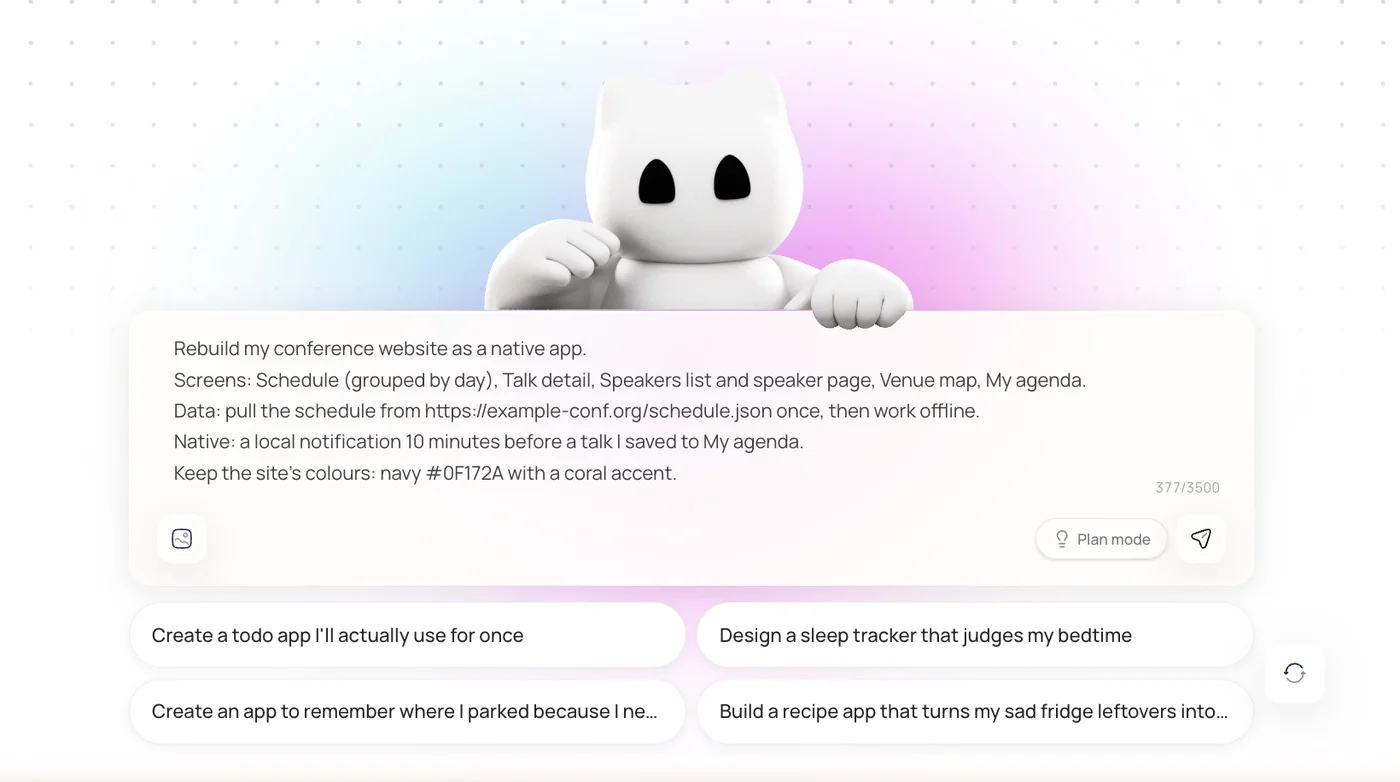
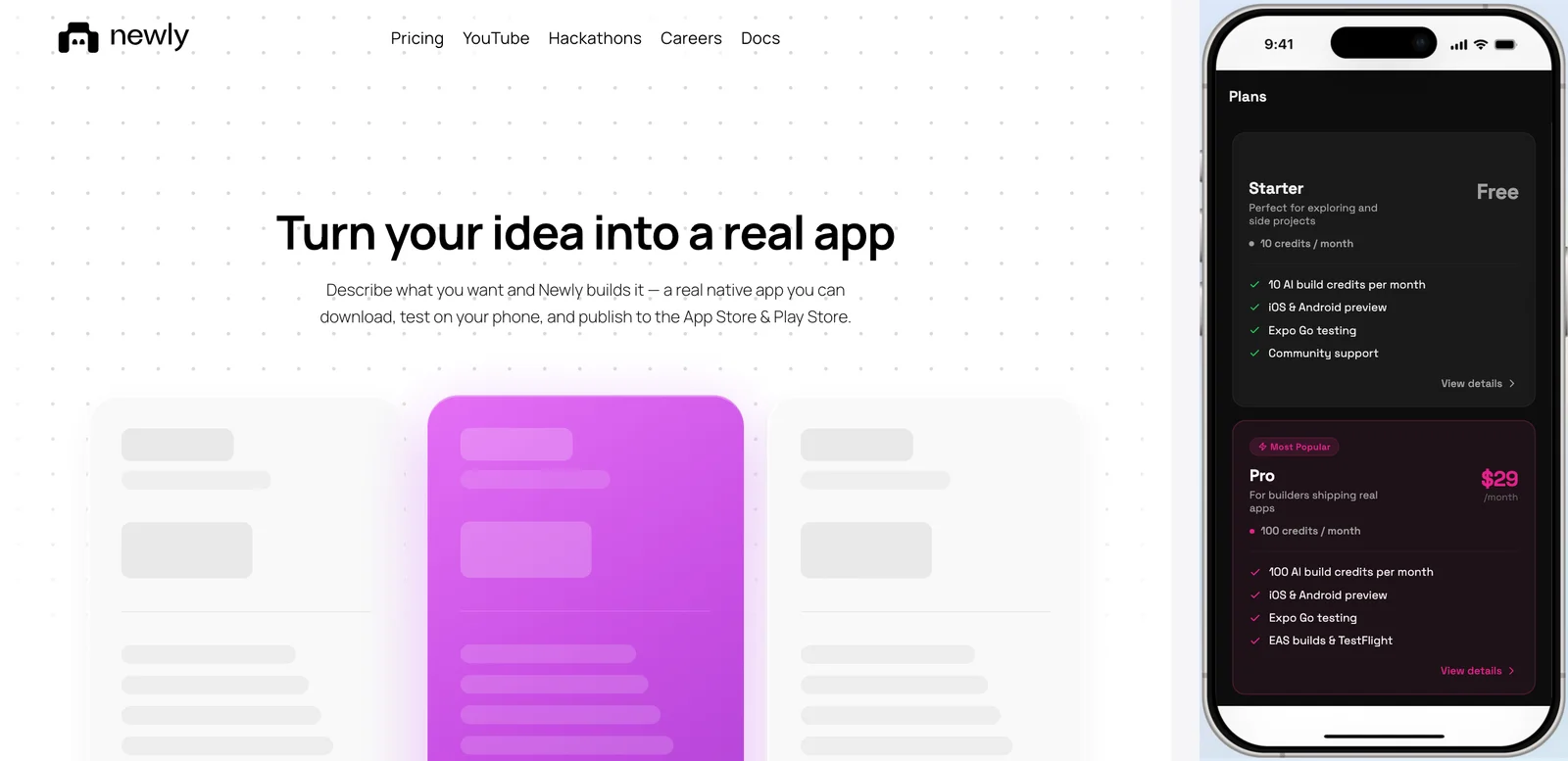
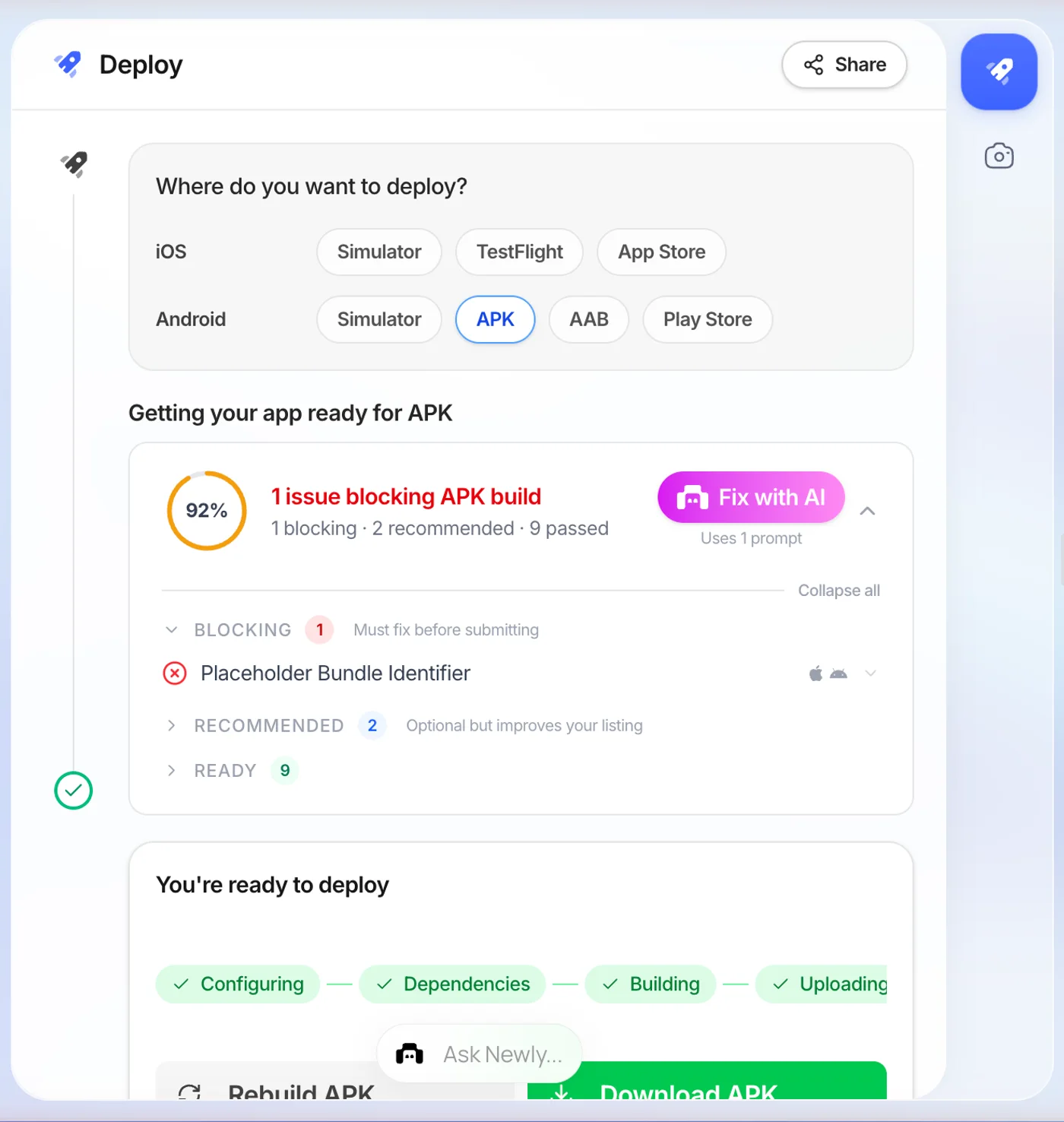
In Newly you describe the app in the prompt box rather than uploading files: the screens, what each one does, where the data comes from. It generates a React Native and Expo project in TypeScript, previews it on an embedded device simulator, and produces the Android build artefacts, a signed APK for testing and the AAB the Play Console wants. Your site is the brief. It is not the input.
The part that should put some people off
Newly will not take your HTML. There is no import step, your CSS does not come across, and the result will not be pixel-identical to your website, it is a new React Native app that happens to do the same job. If the exact look of your site is the asset, that is a real cost, and a wrapper genuinely preserves something a rebuild throws away. There is also no free tier: it starts at $25 a month, where Capacitor and Android Studio are zero. For an internal Android-only tool that four people sideload, the free route is the better answer and it would be dishonest to say otherwise.
Where it stops being the better answer is the moment the app has to be in the App Store, or has to work on the Tube, or has to send a push notification. At that point you are not choosing between a wrapper and a rebuild. You are choosing between a rebuild now and a rebuild in four months, after the rejection.
“I only want it on my own phone.”
Then almost none of this applies to you. No store, no review, no guideline 4.2, no developer account, no fee. Build the debug APK, email it to yourself, allow installs from your file manager, tap it. Wrap away.
The same is broadly true of an internal tool distributed inside a company. The rules in this article are store rules, and if you are never going near a store, the only thing left to weigh is whether the thing feels good enough to use every day, which is the scroll physics row in the diagram, and only you can judge that.
FAQ
HTML to APK, the rest of it.
The build itself is free. Capacitor, Cordova and Android Studio cost nothing, and a debug APK comes out of a single Gradle command with no account and no signing key. What is not free is distribution: a Google Play developer account is a one-time 25 dollars, and an Apple Developer Program membership is 99 dollars a year. Hosted html to apk converter services charge a subscription instead, and the thing you are paying for there is not the build, it is not having to install a toolchain.
You have read both sides. Now go build one.
If the wrapper is right for you, the commands above are the whole job and they cost nothing. If it is not, if this is going in the App Store, or has to work with no signal, describe the app instead and let it be built properly the first time.
Build the native version of your site